
HOW TO EDIT TEXT IN DIVI?
Divi Theme Builder is a 100% no-code website builder for WordPress website. Building and editing your website is even easier with ‘Visual Builder’. Even a Sales Advisor with zero knowledge in website building can edit our Sales Advisor website template. Follow this step-by-step guide on how to edit text in Divi website.
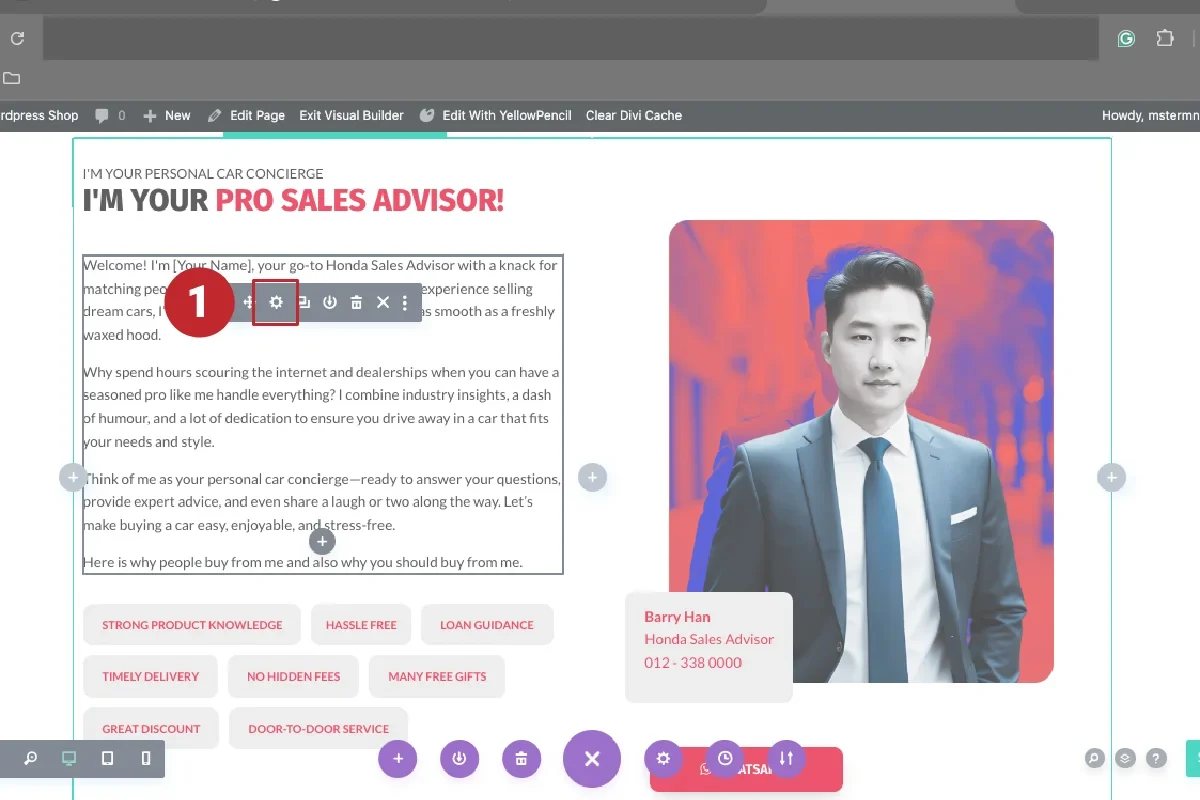
1. EDIT PARAGRAPH.
After opened Visual Builder, scroll down to ‘I’M YOUR PRO SALES ADVISOR’, click on the paragraph and the options box will pop up. Click on the ‘Gear’ icon to start edit.
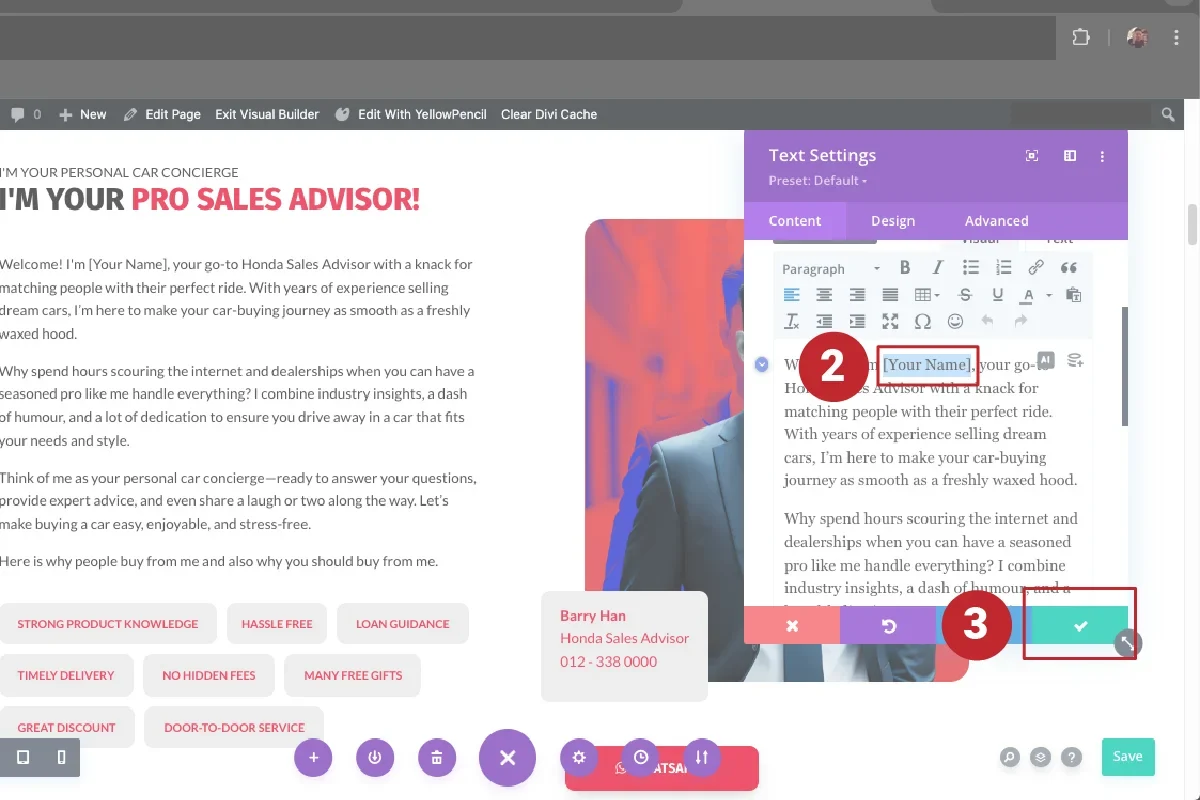
2. EDIT NAME.
The ‘Text Settings’ box pops up and you update ‘Your Name’ in text column. Then click the green tick button to confirm changes.
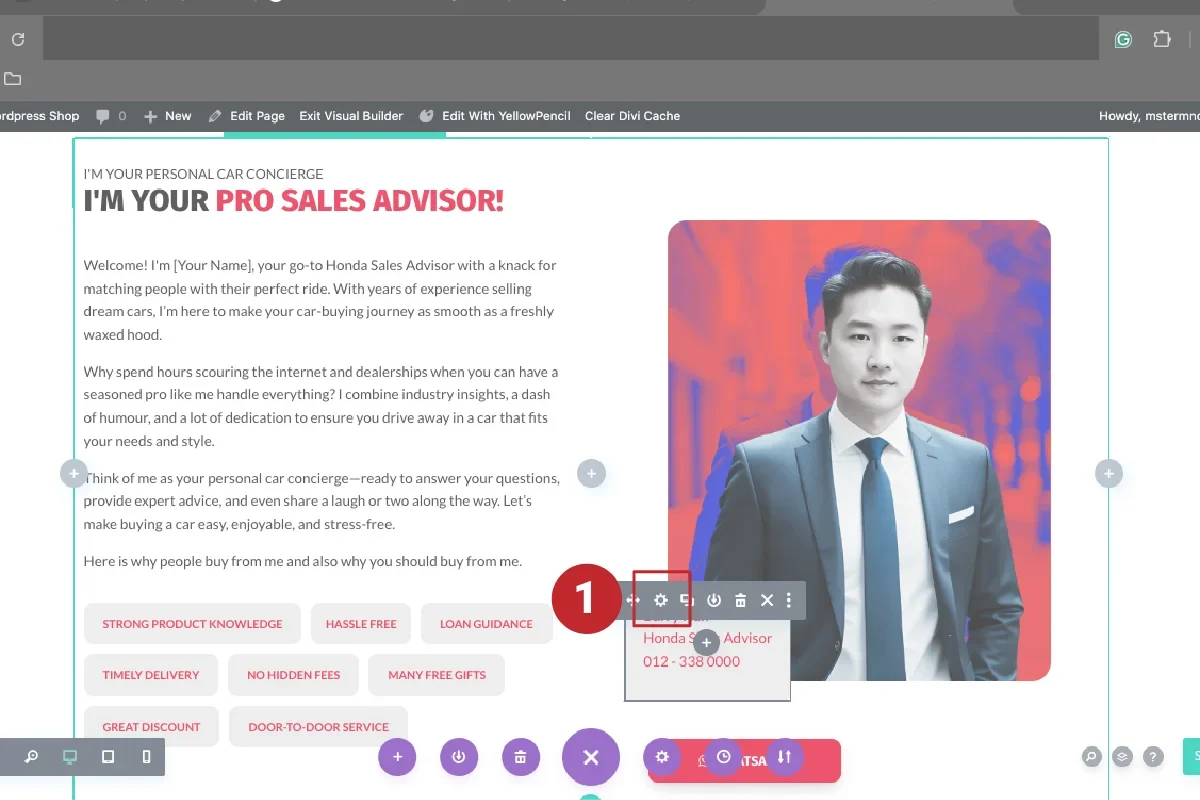
3. EDIT CONTACT DETAILS.
After updating name in the paragraph, click on the contact box below the image to reveal the options box. Click the ‘gear’ icon.
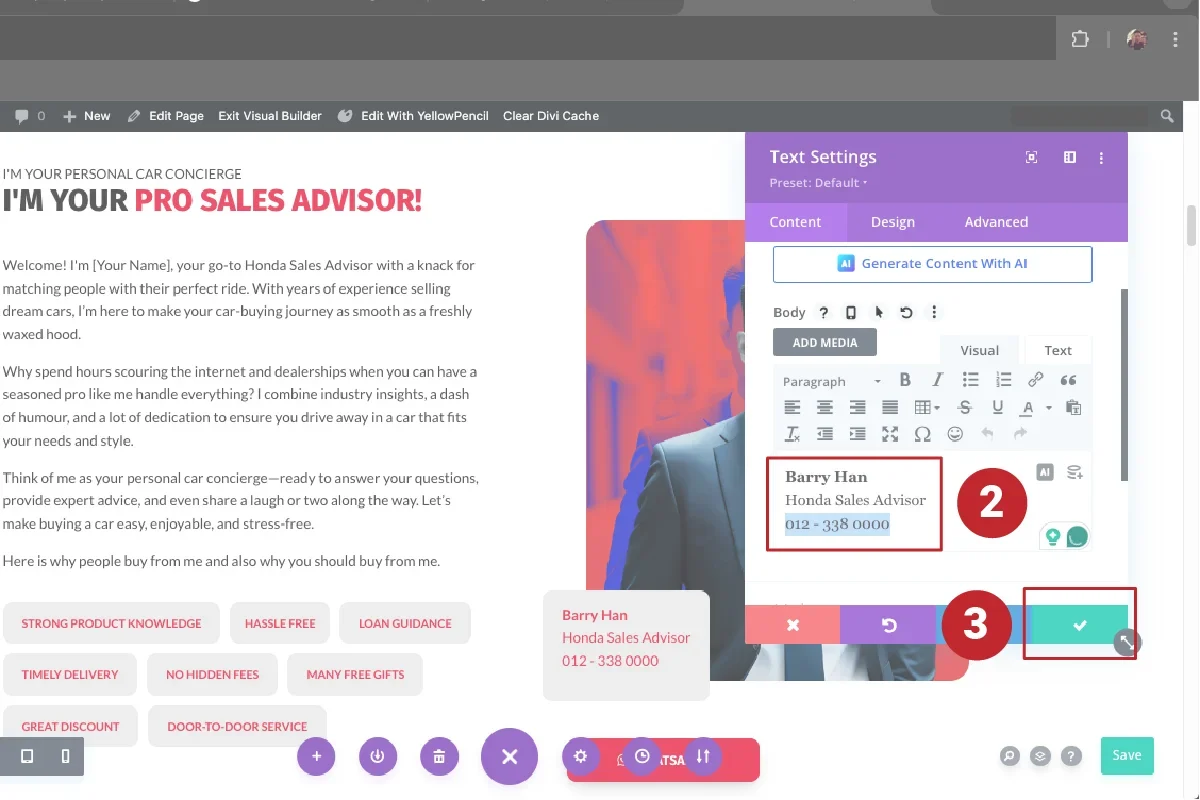
4. EDIT NAME & CONTACT.
Update your name and contact number. Make sure it is not too long to maintain the design. Always remember to click ‘Save’.
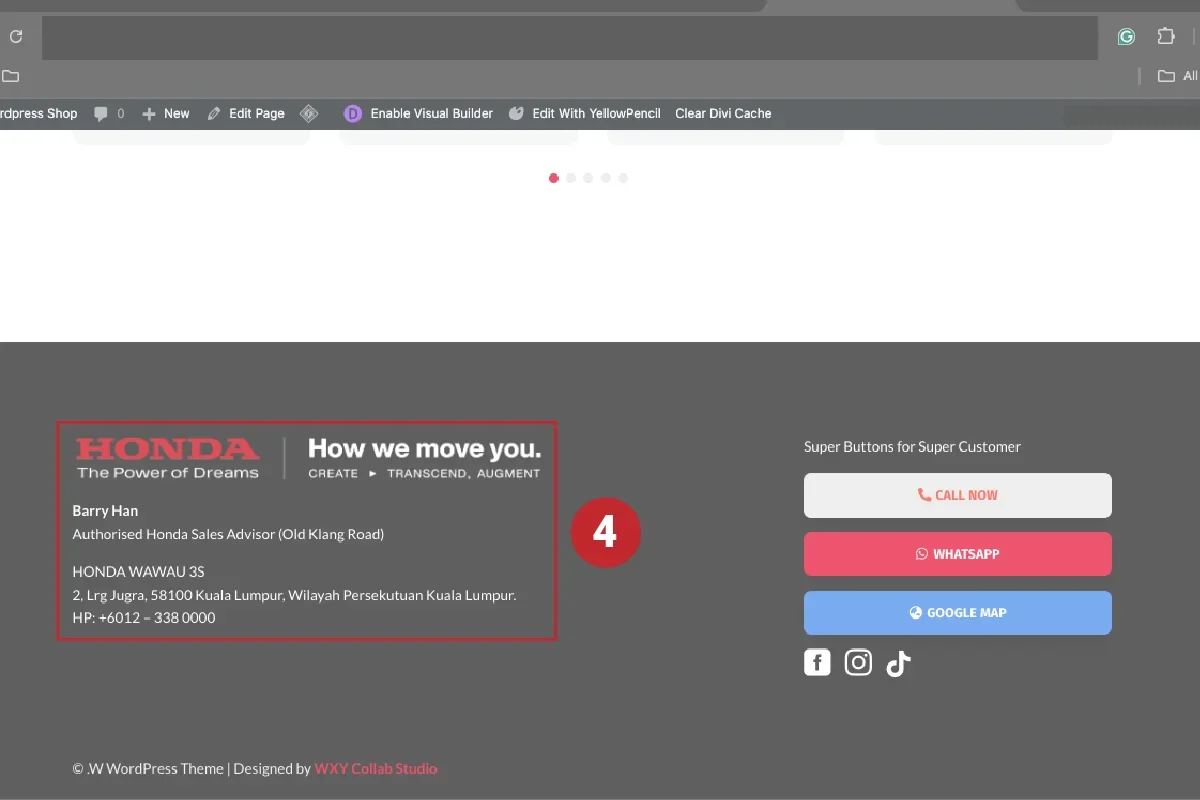
5. EDIT FOOTER DETAILS.
Now update details in the ‘Footer’ section. Scroll down to the bottom of the website, click on the name paragraph to reveal the options box and click the ‘Gear’ icon. Update your details in the ‘Text Settings’.
ALSO LEARN FROM THESE TUTORIALS.

Setup First Google Ads Campaign.

Keyword Research with Google Keyword Planner.

Start Edit with Divi.

How to Edit Text in Divi?

How to Edit Text Colour in Divi?

How to Edit Background Colour in Divi?

How to Edit Gallery in Divi?

How to Edit Image in Divi?

How to Edit Social Media Icon in Divi?

How to Add Image in Divi?

How to Edit Image Slider in Divi?

How to Edit Button in Divi?
