
START EDIT YOUR WEBSITE WITH DIVI BUILDER.
Divi Theme Builder is a 100% no-code website builder for WordPress website. Building and editing your website is even easier with ‘Visual Builder’. Even a Sales Advisor with zero knowledge in website building can edit our Sales Advisor website template. The first step is to learn how to access WordPress backend and start edit with Divi Builder. It is not complicated at all.
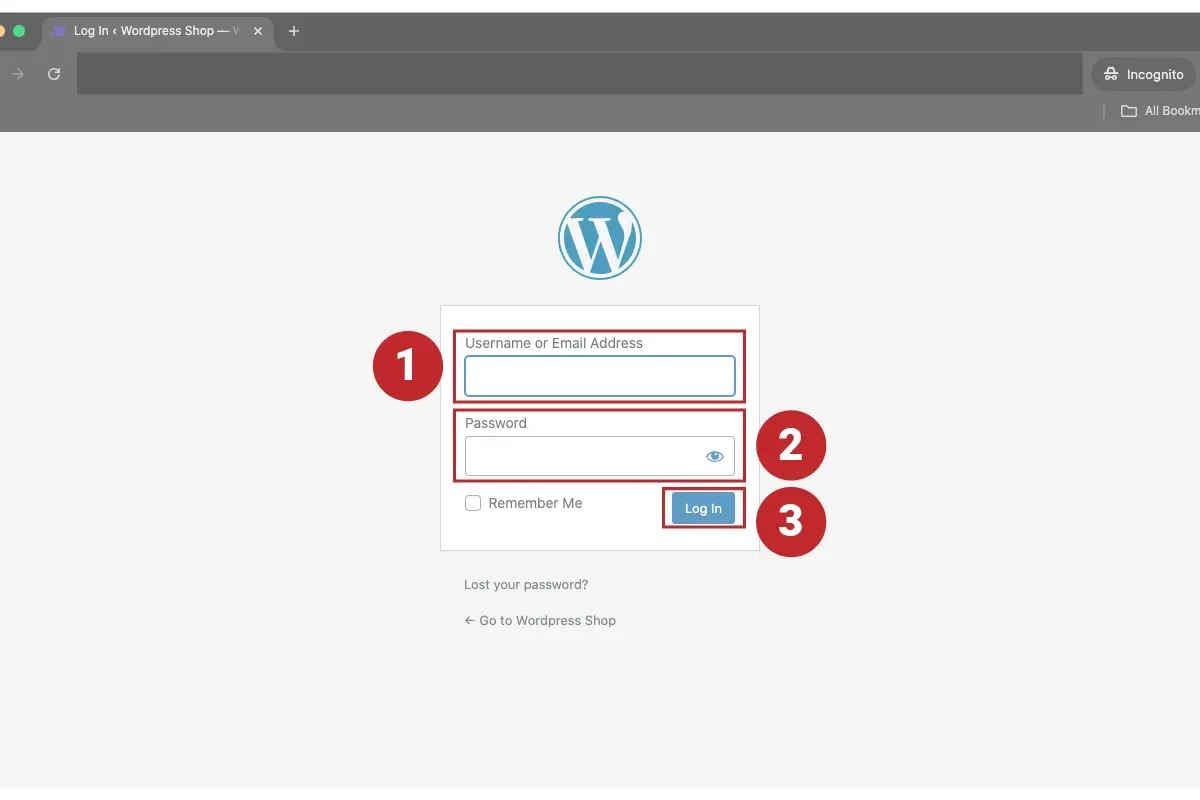
1. LOGIN WORDPRESS.
Login to your WordPress site with your username and password. Standard login domain – www.yourdomain.com/wp-admin
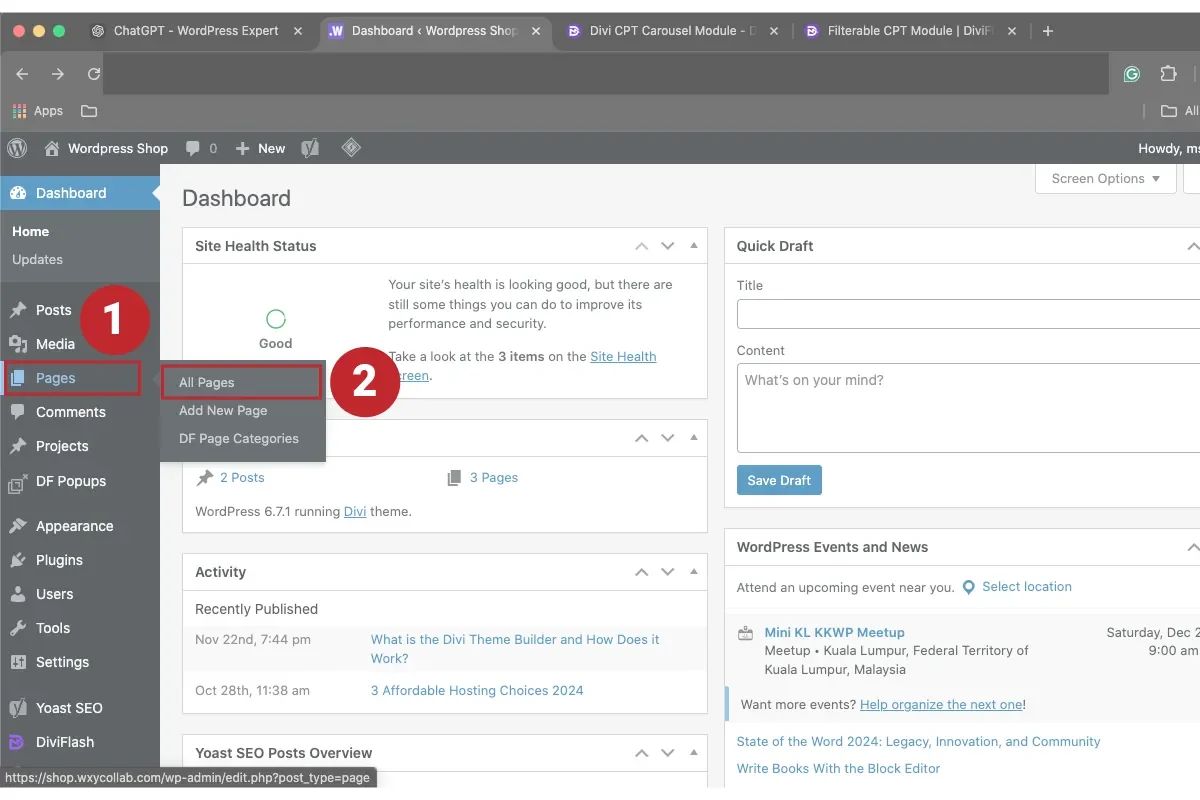
2. WORDPRESS BACKEND.
2 spots you need to take note in WordPress backend, (1) admin bar and (2) side bar.
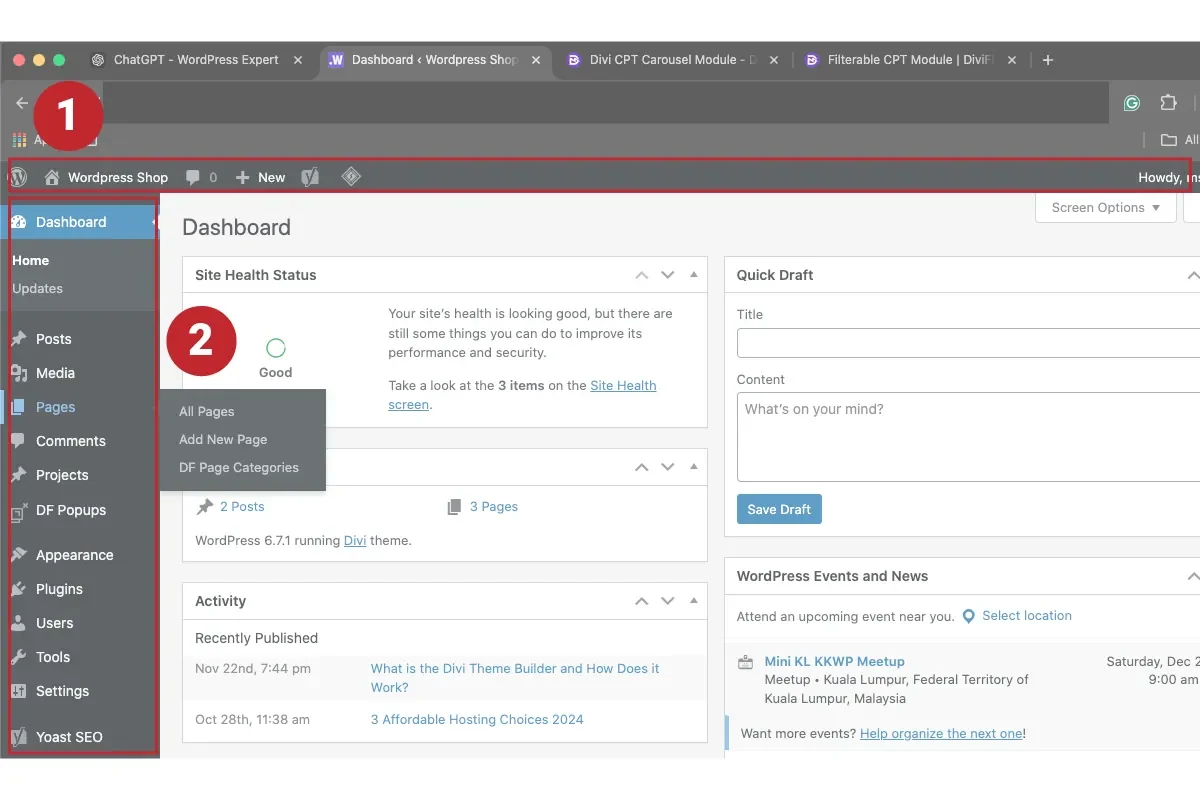
3A. FIND 'ALL PAGES'.
Hover your mouse to ‘Pages’ and select ‘All Pages’.
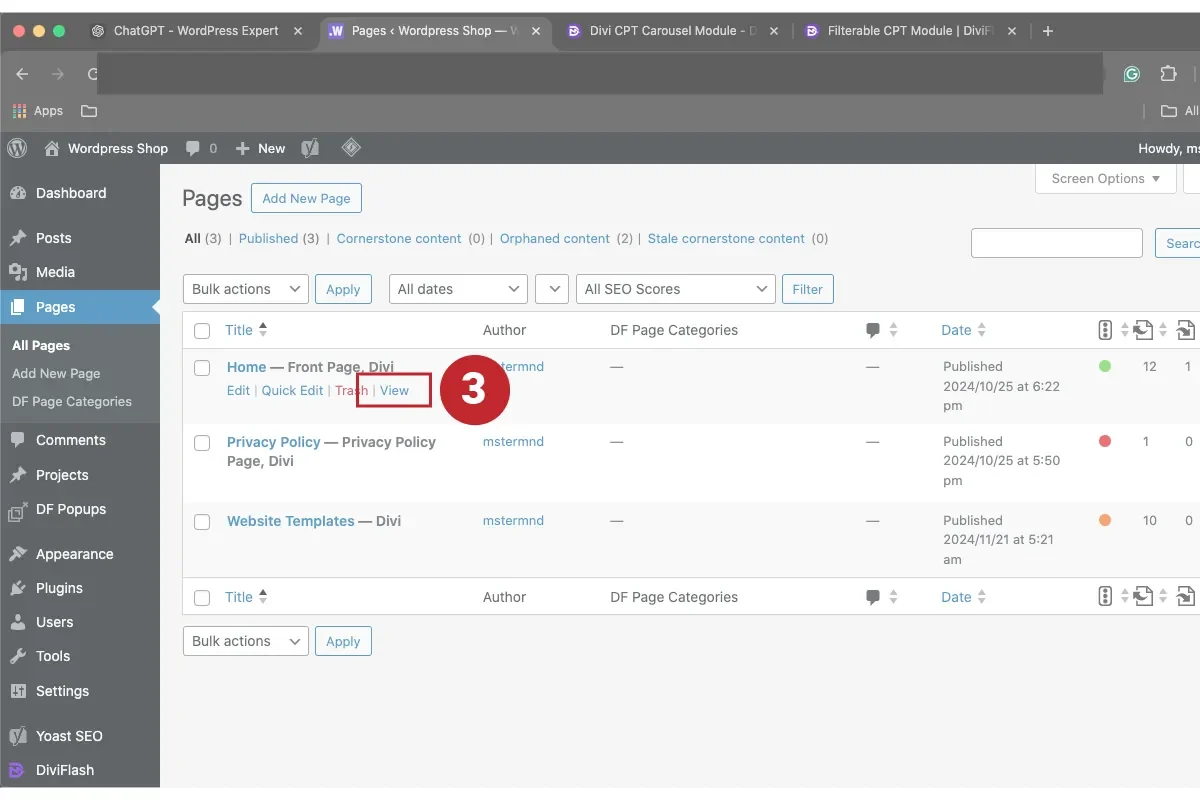
3B. ACCESS 'HOME PAGE'.
Hover your mouse to ‘Home’ and click ‘View’ to view your home page. Alternatively, you can access the backend of your home page by click ‘Home’ or ‘Edit’.
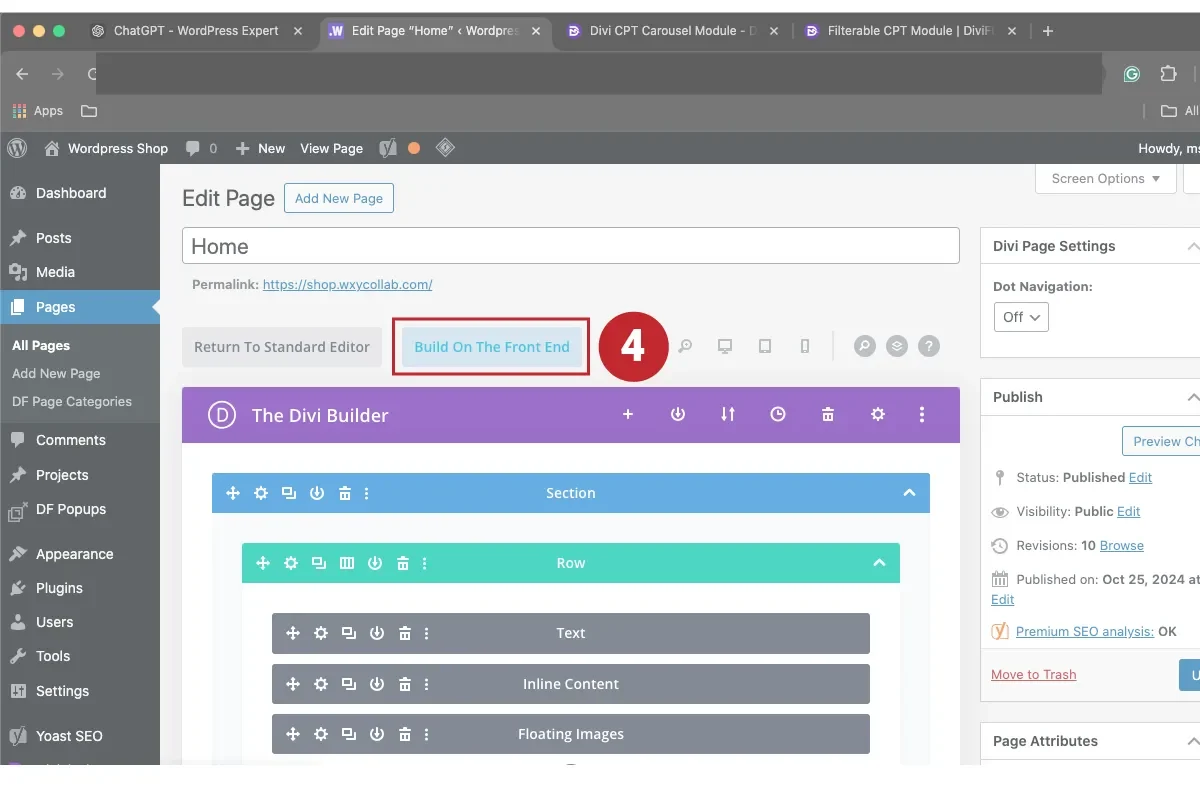
4. HOME PAGE BACKEND.
You are now looking at the backend of your ‘Home’ page. Click on ‘Build On The Frontend’ to go to Divi Theme Builder (Visual Builder).
5. ACCESS DIVI BUILDER.
After login to WordPress you can also access Divi Theme Builder (Visual Builder). Look for ‘Enable Visual Builder’ at the top admin bar to open Visual Builder.

6. SAVE UPDATES.
Click on the (•••) at the bottom to reveal the ‘Save’ button. Always save your changes/updates.
ALSO LEARN FROM THESE TUTORIALS.

Setup First Google Ads Campaign.

Keyword Research with Google Keyword Planner.

Start Edit with Divi.

How to Edit Text in Divi?

How to Edit Text Colour in Divi?

How to Edit Background Colour in Divi?

How to Edit Gallery in Divi?

How to Edit Image in Divi?

How to Edit Social Media Icon in Divi?

How to Add Image in Divi?

How to Edit Image Slider in Divi?

How to Edit Button in Divi?
