
HOW TO START KEYWORD RESEARCH IN GOOGLE KEYWORD PLANNER?
Many people often start their Google Ads campaigns without conducting proper keyword research. They typically input their brand name and product name, and that’s it. While this approach isn’t entirely wrong, it’s more effective to first research and plan your keywords. You can easily do this using ‘Google Keyword Planner’, which is user-friendly. Through this tool, you’ll also discover additional keywords to utilize.
It’s important for beginners to remember that avoiding competition doesn’t mean you’re losing out, and while short keywords might not always yield the best results, long-tail keywords can be very effective too.
CAN YOU DO KEYWORD RESEARCH FOR FREE?
Before setting up Google Ads, it’s important to understand keywords. Doing research will save you time and prevent you from wandering aimlessly. A great way to start your keyword research for free is by using Google Keyword Planner.
This powerful tool is available within your Google Ads account. In addition to helping you find keywords related to your business or products, it can also generate keyword ideas based on the keywords you provide. Awesome!
LET’S START WITH GOOGLE KEYWORD PLANNER!
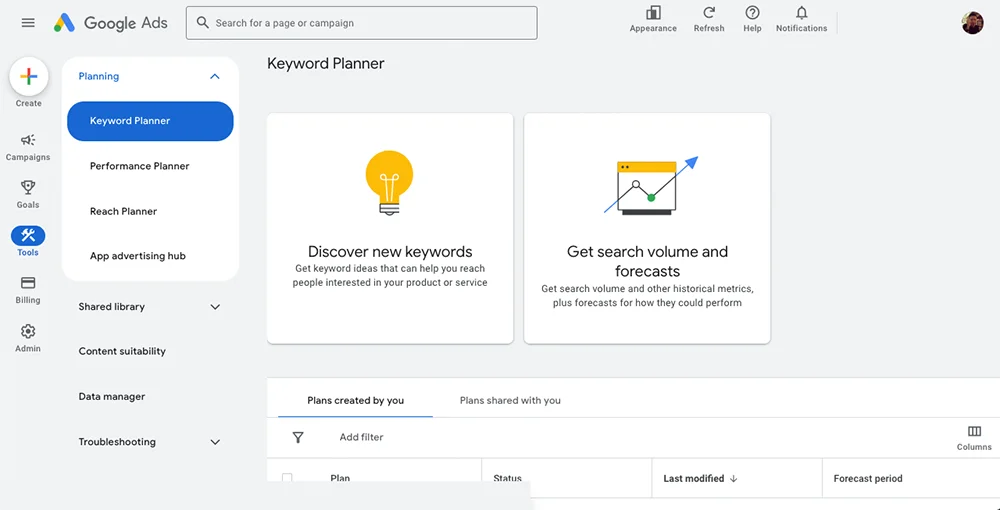
- Access Keyword Planner via ‘Tools’ > ‘Planning’ > ‘Keyword Planner’.
- Select ‘Discover new keywords’ to find keyword ideas.
- Select ‘Get search volume and forecasts’ if you have an existing keyword list.
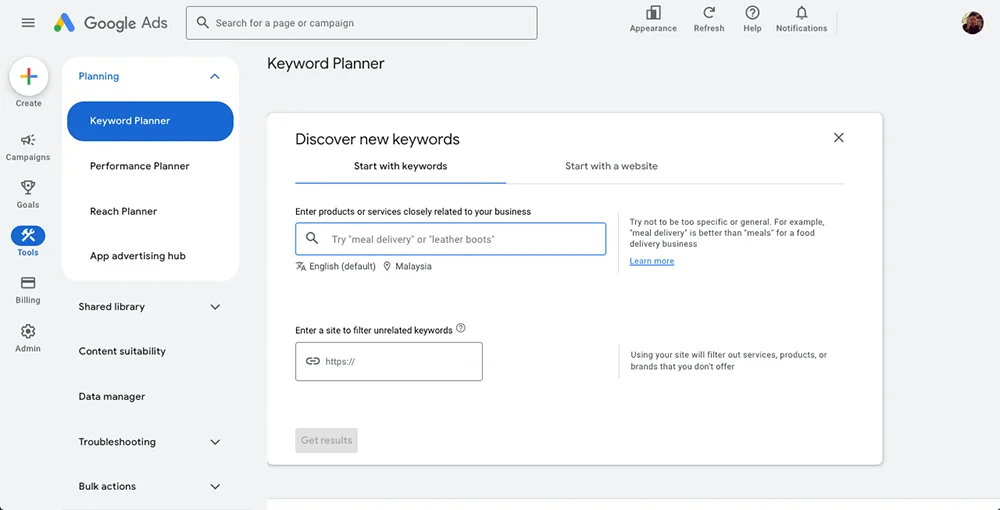
- Enter products, services, or related phrases to your business.
- Also make sure to change to your ads target country. If you’re targeting the Malaysian market, then change to Malaysia.
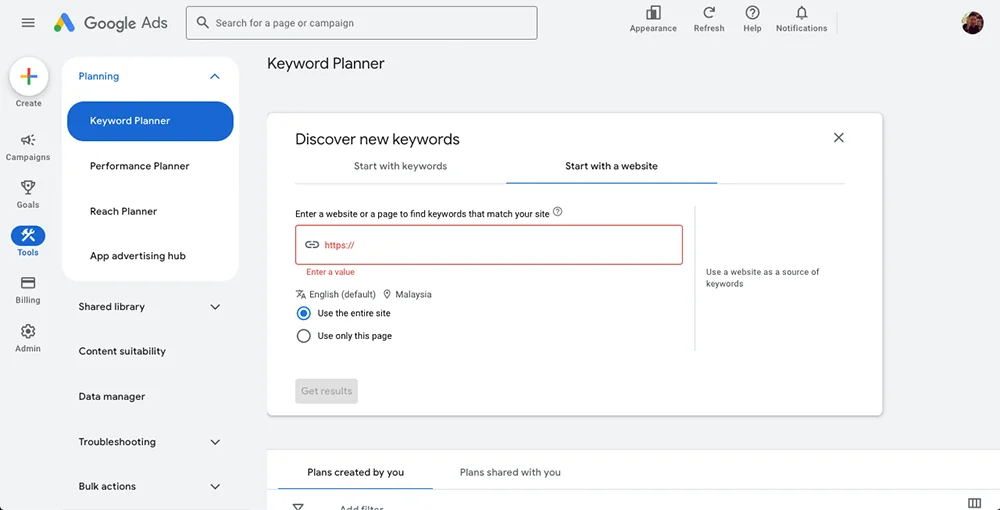
- Optionally, enter a website URL (yours or a competitor’s) to get keyword ideas related to that site.
HOW TO ANALYZE KEYWORD SUGGESTIONS?
Review keyword ideas including short-tail and long-tail keywords.
- Short-tail keywords are keywords not more than 3 words. More likely a quick search for customer behaviour.
- Long-tail keywords are longer keywords that are much more specific. Customers searching in long phrases are closer to purchase intention.
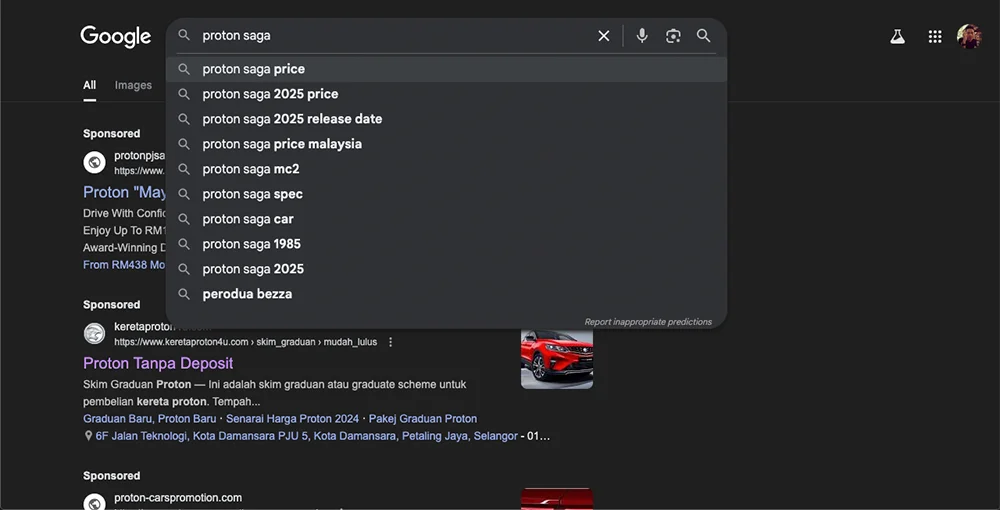
- Quick check on long-tail keywords related to your business/product, simply open Google search and input your keyword. Google will automatically display the available and top long-tail keywords.
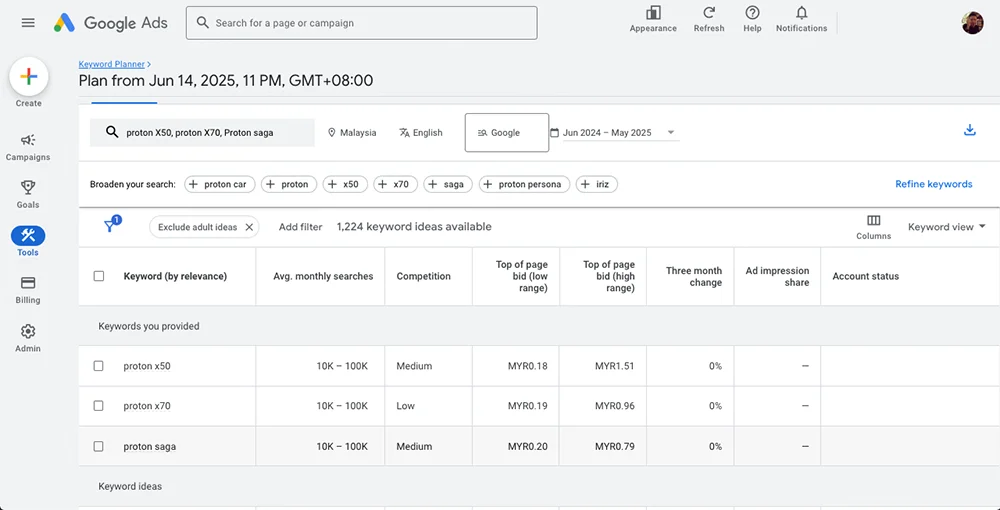
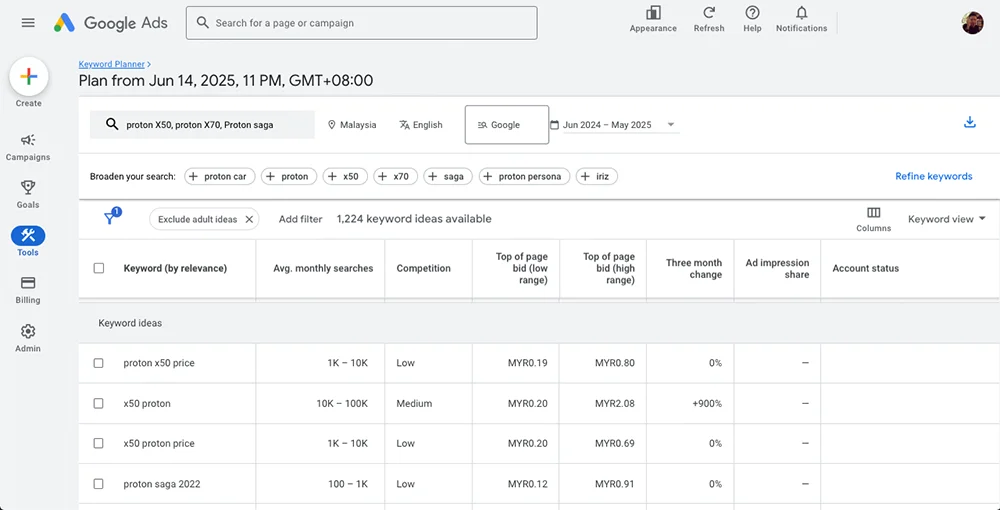
- Check metrics such as monthly search volume, competition level, and cost-per-click (CPC).
- Use high and low to estimate your cost-per-click (CPC).
- Using filters to refine results by brand/non-brand, location, language, etc.
- Try not to use any filters if you’re unsure.
- For the Malaysia market, when you search for keywords you will also see keywords suggested in Malay language.
SAVE AND ORGANIZE KEYWORDS.
- Select relevant keywords by checking the box and add them to your plan for later use.
- Download keyword data for further analysis.
HOW CAN I IDENTIFY HIGH-VOLUME KEYWORDS IN THE PLANNER?
Look for these obvious indications when ‘keyword planner’ display your search results. Both keywords you search and suggested keywords will show. If these keywords show no indication meaning it is still untouched. For keywords research results, analyse ‘Average monthly searches’, ‘competition level’, ‘Top of page bid (low range)’ and ‘top of page big (high range)’.
REVIEW SEARCH VOLUMES.
- Look at the Average Monthly Searches column to identify keywords with high search volume. Focus on keywords with the highest search volume. Search volume as a range (e.g., 10K–100K), indicating relative popularity.
- High-volume keywords typically have larger numbers in this column, indicating many users search for those terms regularly.
CONSIDER COMPETITION.
- Review the competition level (Low, Medium, High) to understand how competitive the keyword is.
- You can also filter by competition level but remember this refers to Ads competition, not SEO difficulty.
CHECK COST-PER-CLICK (CPC).
- Check the suggested bid (CPC) range to gauge the commercial value of the keyword.
- High-volume keywords with moderate to high CPCs often indicate strong commercial intent and valuable traffic.
- Look at the ‘Top of page bid (Low range)’ and ‘Top of page bid (High range)’ columns, which represent estimated CPC ranges.
- These values reflect what advertisers typically pay to appear at the top of search results for those keywords.
- Higher CPC usually indicates strong commercial intent and competition.
USE FILTERS TO NARROW DOWN RESULTS.
- Apply filters such as minimum average monthly searches to exclude low-volume keywords.
- Filter by minimum CPC or Top of Page Bid to focus on keywords with higher commercial value.
EXTRA TIPS!
ANALYZE LONG-TAIL KEYWORDS.
Don’t just focus on broad high-volume keywords; also look for longer, more specific keywords (long-tail keywords) that may have lower volume but higher conversion potential.
USE GEOGRAPHIC & LANGUAGE TARGETING.
Refine your search by targeting specific locations or languages relevant to your campaign to get accurate volume data for your target market.
REGULAR MONITORING TRENDS.
Keyword search volumes can change over time; revisit Keyword Planner periodically to keep your keyword list updated with current high-volume terms.
TEST AND OPTIMIZE.
Add selected high-volume keywords to your campaigns and monitor their performance. Adjust bids and keyword selection based on click-through rates and conversion data.
WHAT OTHER PLATFORM TO DO KEYWORD RESEARCH FOR FREE?
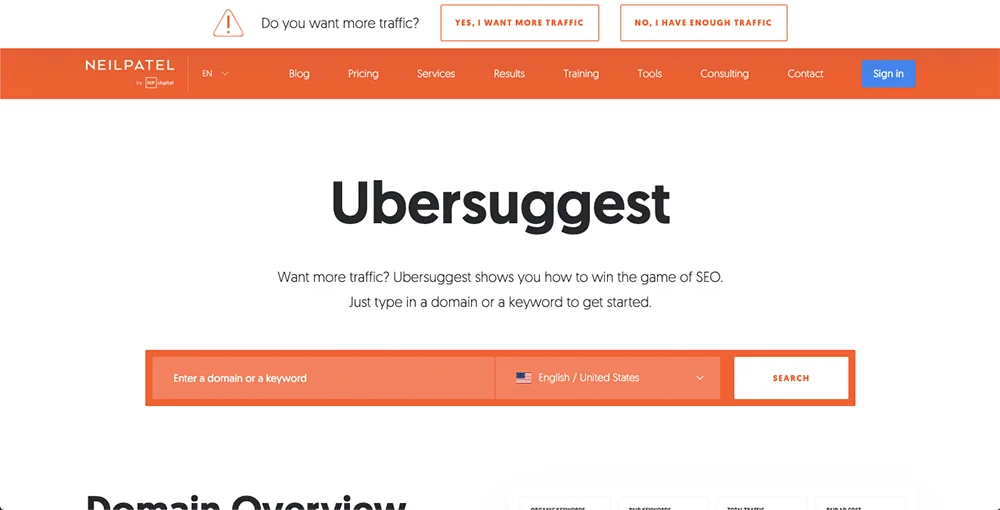
UBERSUGGEST.
- Provides monthly search volume, SEO and paid difficulty scores.
- Offers content ideas and comparison keywords.
- Free plan allows 3 searches per day.
- Link to UBERSUGGEST.
KEYWORDTOOL.IO
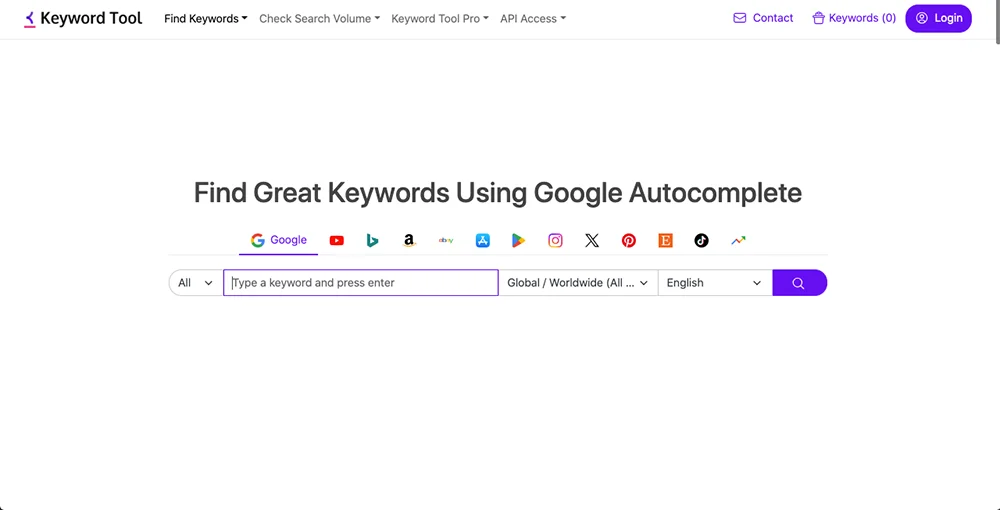
- Generates hundreds of keyword suggestions from Google, YouTube, Bing, and Amazon.
- Supports localized targeting by country and language.
- Allows downloading keyword lists in Excel or CSV formats.
- Free version provides extensive keyword ideas without cost.
- Link to keywordtool.io.
OTHER KEYWORD SEARCH FREE TOOLS.
- Moz Keyword Explorer (limited free queries).
- AnswerThePublic (visual keyword suggestions based on questions).
- Google Trends (to analyze keyword popularity over time).
These platforms complement Google Keyword Planner by providing alternative keyword ideas, especially long-tail and niche keywords. It is time to be a little more creative. Remember, when in doubt refer to what your competitors are doing.
Here are all the FREE tools available for you to start your first Google Ads – Search Campaign. With these tools, you are one step closer to a successful ads campaign.